
Download NoozCraft – AI Newsletter Writing Tool, Fast & Secure
Overview
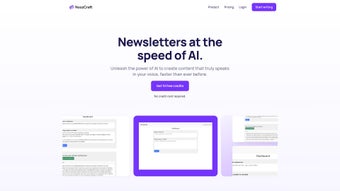
NoozCraft is an efficient AI‑powered newsletter writing tool that lets marketers, editors, and small‑business owners generate high‑quality newsletters in a matter of minutes. Built as a web‑based application, NoozCraft leverages advanced machine‑learning models from OpenAI to analyse URLs, extract key points, and craft personalized copy that matches the tone and style of your brand. What sets NoozCraft apart from generic AI writers is its focus on newsletter creation: you can feed the platform with links to recent articles, past newsletter archives, or even raw data, and the engine will automatically generate a polished draft ready for distribution.
The interface is deliberately minimalist—no coding, no steep learning curve—so anyone with basic internet skills can start producing newsletters immediately. Whether you need a daily roundup for a tech community, a weekly product update for customers, or a monthly industry digest, NoozCraft’s “write‑once‑publish‑anywhere” workflow streamlines the entire process. New users can explore the platform through a free trial that includes a limited number of AI‑generated summaries per month, while businesses looking for higher volume and dedicated support can upgrade to the enterprise tier.
In short, NoozCraft promises to cut the time spent on research, drafting, and editing by up to 70 %, allowing teams to focus on strategy and engagement instead of repetitive copywriting tasks.
Key Features that Power Your Newsletter Workflow
- AI‑Driven Content Generation: Uses OpenAI’s latest language models to create coherent, engaging copy from article URLs or raw text.
- Style Learning: Upload past newsletters and the system learns your brand voice, ensuring consistency across issues.
- URL Summarisation Engine: Automatically extracts headlines, key points, and quotes from any web page you submit.
- Customisable Templates: Drag‑and‑drop sections, choose colour palettes, and insert dynamic placeholders for personalization.
- Multi‑Channel Export: Export drafts directly to Mailchimp, HubSpot, or as HTML/CSS files for manual deployment.
- Collaboration Hub: Invite team members, assign roles, and track revision history within the same dashboard.
- Free Trial & Flexible Pricing: Start with a no‑cost trial; upgrade to Basic (monthly summary caps) or Enterprise (unlimited, dedicated manager).
- Secure Cloud Storage: All drafts are encrypted at rest and in transit, complying with GDPR and CCPA standards.
- Real‑Time Analytics: Integrated metrics show open‑rate predictions and content performance before you hit send.
- Responsive Support: Email assistance for all users; enterprise customers receive a personal account manager.
Installation, Usage Instructions & Compatibility
Getting Started – No Installation Required
Because NoozCraft is a cloud‑native web application, there is nothing to download or install on your local machine. Simply visit https://noozcraft.com, click “Sign Up,” and follow the on‑screen prompts to create your account. The registration process asks for a valid email address, a password, and an optional company name (useful for enterprise billing). After confirming your email, you’ll land on the dashboard where the AI engine is ready to accept inputs.
Step‑by‑Step Workflow
- Input Sources: Paste the URLs of articles you want to summarise, upload a CSV of headlines, or copy‑paste raw text into the “Content Source” box.
- Select a Template: Choose from pre‑built newsletter layouts or start with a blank canvas. Templates automatically map extracted content into sections like “Top Stories,” “Featured Quote,” and “Upcoming Events.”
- Define Tone & Length: Use the slider to set the desired word count and tone (e.g., professional, conversational, witty).
- Generate Draft: Click “Craft Newsletter.” The AI processes the inputs, applies your style preferences, and populates the template within seconds.
- Review & Edit: The draft appears in an editable editor. You can fine‑tune sentences, rearrange sections, or add custom images.
- Export or Publish: When satisfied, export as HTML, PDF, or push directly to your email service provider via the integrated API.
Operating System Compatibility
NoozCraft runs entirely in the browser, making it compatible with all modern operating systems, including Windows 10/11, macOS Ventura and later, Linux distributions, as well as mobile platforms such as Android 9+ and iOS 13+. Because the service is SaaS‑based, you only need a stable internet connection and a recent version of Chrome, Firefox, Edge, or Safari.
Updates & Security
The platform receives automatic updates every week—new model improvements, bug fixes, and feature releases are deployed server‑side, so users never need to manually update anything. Security is handled with industry‑standard TLS encryption, regular penetration testing, and role‑based access controls to protect your editorial data.
Pros and Cons – An Honest Look at NoozCraft
Pros
- Rapid content generation cuts newsletter production time dramatically.
- AI learns your brand voice from existing newsletters, ensuring consistency.
- No installation needed; works on any device with a modern browser.
- Flexible pricing lets freelancers and large enterprises alike benefit.
- Secure cloud storage meets GDPR and CCPA compliance requirements.
- Integrated export to major email marketing platforms streamlines distribution.
- Free trial provides a risk‑free way to test the AI’s capabilities.
Cons
- AI‑generated copy may occasionally need manual polishing for niche jargon.
- Limited offline functionality – you must be online to access the service.
- Higher‑tier enterprise plan can be pricey for small teams.
- Currently no native mobile app; mobile users rely on the responsive web UI.
- Export options are limited to HTML, PDF, and API integrations—no direct PDF‑to‑Mailchimp.
Frequently Asked Questions
How does NoozCraft generate newsletter content from a URL?
When you paste a URL, NoozCraft’s summarisation engine crawls the page, extracts headings, key paragraphs, and any highlighted quotes. The AI then restructures this information into a pre‑defined newsletter format, respecting the tone settings you chose. The process usually completes within 10‑15 seconds for standard articles.Can I train NoozCraft to match my existing brand voice?
Yes. By uploading past newsletters (up to 50 samples in the free trial), the AI analyses writing style, vocabulary, and formatting preferences. Once the model has been “trained,” all subsequent drafts automatically reflect those stylistic choices, giving you a consistent brand voice without manual editing.Is there a limit on how many newsletters I can create per month?
The free trial includes 10 AI‑generated summaries per month. The Basic plan raises this to 200 summaries, while the Enterprise tier offers unlimited generation, dedicated support, and custom SLA agreements. You can always upgrade or downgrade from the billing dashboard.Does NoozCraft store my newsletter drafts securely?
All data is encrypted both at rest and in transit using AES‑256 and TLS 1.3 protocols. NoozCraft complies with GDPR, CCPA, and ISO‑27001 standards, and you can request data deletion at any time via the account settings.Can I integrate NoozCraft with my existing email marketing platform?
Yes. NoozCraft offers native integrations with Mailchimp, HubSpot, Campaign Monitor, and SendinBlue through API keys. You can also export the newsletter as clean HTML and paste it into any platform that accepts custom code.Conclusion – Why NoozCraft Is the Smart Choice for Modern Newsletter Teams
In a world where content velocity often determines audience engagement, NoozCraft provides a decisive advantage. By automating the most time‑consuming parts of newsletter creation—research, summarisation, and drafting—this tool frees up creative talent to focus on strategy, design, and audience interaction. Its AI engine, trained on your own archives, delivers a personalized voice that feels genuinely human, while the secure, browser‑based platform guarantees accessibility across Windows, macOS, Android, and iOS devices.
Whether you’re a solo freelancer looking to deliver weekly updates or a multinational brand needing an enterprise‑grade solution with a dedicated account manager, NoozCraft scales to meet those demands. The free trial lets you test the system without commitment, and the transparent pricing ensures you only pay for the volume you need. If you’re ready to cut newsletter production time by up to 70 % and boost engagement with AI‑crafted, brand‑consistent content, click the button below to start your free trial today.



.png)



